
From Concept to Prototype: Validate AI Ideas First

TL;DR: Most AI ideas that fail do not fail because the model was not good enough. They fail because nobody validated the core assumption — that the AI actually solves a real problem in a way that users will adopt — before spending months building it. A working prototype, built in days and tested with real users, answers that question for a fraction of the cost. This article covers why AI prototypes are fundamentally different from traditional software prototypes, the four levels of the AI prototyping spectrum, how to set success criteria before you write a line of code, the discipline of getting real user feedback fast, and the decision framework for knowing when to iterate, when to kill, and when to take a prototype to production.
Introduction
There is a story that repeats itself across AI teams. The pattern is always the same.
Someone has an idea for an AI feature. It is compelling on a whiteboard. The team gets excited. They spend three months building it — training or fine-tuning a model, wiring up the data pipeline, designing the interface, handling edge cases, writing tests. They launch it. And nobody uses it. Not because the technology does not work. Because nobody stopped to ask: does anyone actually need this in the way we built it?
The antidote to this story is not better planning. It is not more detailed requirements documents. It is not a longer discovery phase. The antidote is a thin, working prototype — built fast, tested with real users, measured against clear success criteria — that answers the only question that matters before a single production system is designed: should we build this at all?
Prototyping is not a new idea. Engineering teams have been building prototypes since long before AI. But AI prototyping is different from traditional software prototyping in ways that matter. The failure modes are different. The cost structure is different. The prototyping tools available in 2026 — pre-trained models you can access through an API, agentic frameworks that compose multi-step reasoning, vector databases that make retrieval trivial — mean you can build an AI prototype in days that would have taken months three years ago. But that speed only matters if you use it to learn, not to skip the learning.
This article is a practical guide to AI prototyping — not how to code the prototype, but how to think about it. What makes an AI prototype useful for validation rather than just a demo. How to pick the right level of fidelity. How to know whether the prototype is proving your idea or hiding its flaws. And how to make the call — iterate, kill, or build — with conviction rather than hope.
Why AI prototypes are different from traditional software prototypes
Traditional software prototyping rests on a set of assumptions that do not carry over cleanly to AI.
A traditional prototype demonstrates an interaction model and a workflow. You show a user a clickable mockup of a dashboard. They navigate through it. They tell you whether the layout makes sense, whether the right information is visible, whether the flow feels natural. The prototype is about structure and usability. What it is not about is correctness — because in a traditional prototype, the data is fake, the calculations are faked, and everyone knows that. The implicit contract is: "imagine this works, and tell me if the experience makes sense."
An AI prototype cannot make that contract. The core value of an AI system is that it produces useful outputs from real inputs — it summarises a document correctly, it answers a question accurately, it generates a recommendation that is better than what a human would produce unaided. If the prototype's outputs are fake — if the summary was actually written by a human pretending to be the AI — then you are not testing the AI. You are testing the interface around it. And in AI products, the interface and the intelligence are not separable. A user's trust in the system depends on the quality of the outputs, not just the layout of the screen they appear on.
This means AI prototypes have to be working prototypes. Not clickable wireframes. Not slide decks. The model has to actually run. It has to actually process input and produce output. The user has to experience what it feels like when the AI gets something right — and what it feels like when it gets something wrong. Because that second experience is the one that determines whether they will use the system again. If your prototype never fails, you have not learned whether users will tolerate failure. And for an AI system, tolerance for failure is everything.
The second difference is that AI prototypes are testing a fuzzier proposition. A traditional prototype tests whether a workflow is efficient. An AI prototype tests whether a probabilistic system is trustworthy — and trust is harder to measure, harder to design for, and harder to validate in a short session. A user might say they like an AI feature after a five-minute demo, then never use it in practice because they do not trust the outputs enough to rely on them. A prototype that only shows the AI's best outputs — curated, cleaned up, cherry-picked — is not validating the AI. It is validating a marketing video. The prototype has to show users the real output distribution, with all its messiness, because that distribution is what they will live with.
The third difference is the speed-to-insight ratio. Traditional prototypes take weeks to build and yield insights about usability. AI prototypes can be built in days and yield insights about feasibility, accuracy, and user trust — but only if you design the prototype to expose those things. Building a prototype fast and then showing it to five colleagues who all say "cool" is not validation. It is a demo dressed up as research. AI prototyping requires the same discipline as traditional prototyping — clear hypotheses, specific success criteria, real users — applied to a system whose behaviour is inherently harder to predict.
The AI prototyping spectrum: four levels of fidelity
Not every AI prototype needs a working model. The right fidelity depends on what you are trying to learn. There are four levels on the AI prototyping spectrum, from cheapest to most expensive, and picking the right one is the most important design decision in the prototyping process.
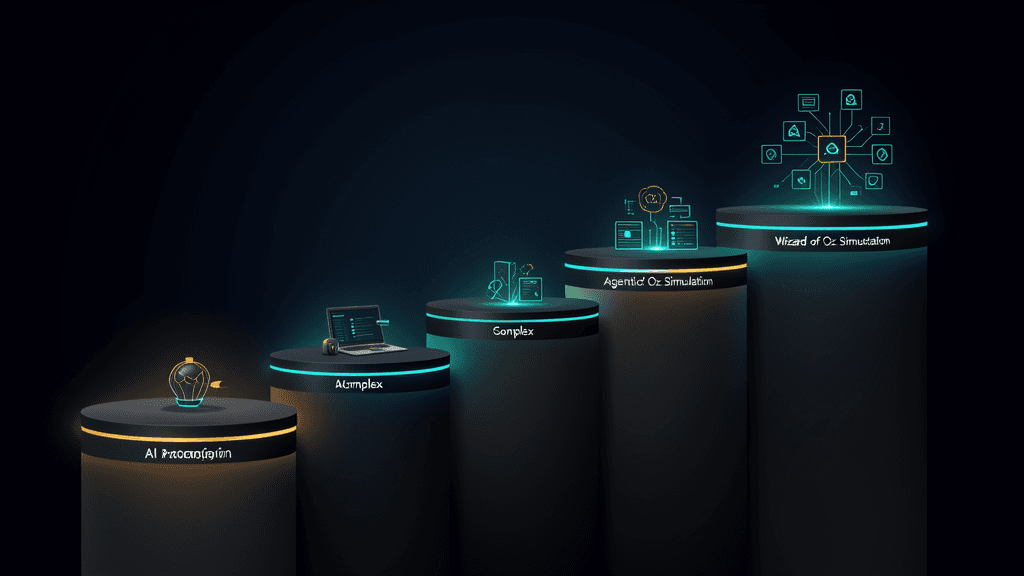
Level 1: Wizard of Oz
A Wizard of Oz prototype is the cheapest entry point. A human simulates the AI behind the interface — reading user inputs and manually providing responses. The user interacts with what looks like a real interface. They type a question into a chatbot, upload a document into an analysis tool, or describe a problem into a recommendation engine. They do not know that a human is generating the responses. They think the AI is doing it.
This approach works when the question you are trying to answer is not about model performance but about user behaviour. Will users actually describe their problem to an AI? Will they trust the response enough to act on it? What kinds of questions do they ask — and are those questions answerable? A Wizard of Oz prototype costs almost nothing to build and can generate insights about user needs, interaction patterns, and trust thresholds before you spend a single dollar on model infrastructure.
The limitation is that you are not testing the AI. You are testing whether users want what the AI would provide. That is a valuable question — arguably the most valuable question — but it is not the only question. A Wizard of Oz prototype cannot tell you whether the model will actually produce accurate answers at an acceptable rate. It cannot tell you whether the latency will be tolerable. It cannot tell you whether edge cases will break the system in ways that erode trust. Use it for need-finding and interaction design. Do not use it to conclude that the AI works.
Level 2: Single-model prototype
This is the most common AI prototype: one model, one task, one interface. A single prompt sent to a language model API, with the response displayed directly to the user. No retrieval. No multi-step reasoning. No agentic orchestration. Just a model and a prompt.
A single-model prototype answers a narrow but critical question: can an AI model, with a well-crafted prompt, perform this specific task at an acceptable level of quality? If you are prototyping a feature that summarises customer support tickets, you build a prototype that takes a support ticket as input, sends it to a model with a summarisation prompt, and shows the result. If the summaries are useful, you have validated the core capability. If they are not — if the model misses key details, misinterprets the context, or produces summaries that are too long or too short — you have learned something important before building the pipeline around it.
Single-model prototypes are fast to build. You can go from idea to working prototype in a day. The risk is that a single-model prototype can give a misleadingly rosy picture. You prompt the model on a few examples that you chose. It performs well. You conclude the idea is viable. But the examples you chose might not be representative. The prompt you wrote might not generalise. The model might perform well on 80% of cases and catastrophically on the other 20% — and if your prototype did not surface the 20%, you will not discover the problem until production.
The discipline for single-model prototypes is to test on a diverse set of inputs — not just the ones that make the prototype look good. Run at least 50 varied examples through the prototype and look at the output distribution. The worst outputs matter more than the best ones, because those are what will destroy user trust. If the bottom 10% of outputs are unacceptable, you have a problem — regardless of how good the average is.
Level 3: Multi-model with retrieval
The next level up adds retrieval-augmented generation and, in some cases, multiple models playing different roles. This is the prototype you build when the AI needs domain-specific knowledge to produce useful outputs — when a generic model without access to your data cannot possibly answer the question correctly.
A multi-model with retrieval prototype connects the model to a knowledge source — a small set of documents, a database, an API — and lets it retrieve information at query time. The prototype tests not just whether the model can reason about the domain, but whether the retrieval pipeline can find the right information reliably. This is where most AI projects encounter their first real complexity. A model that reasons beautifully will still produce wrong answers if the retrieval step pulls the wrong documents. A retrieval system that returns relevant results 90% of the time means the overall system is wrong at least 10% of the time — and probably more, because even correct retrieval does not guarantee correct reasoning.
Building this prototype takes longer — days or a week rather than hours — because the retrieval pipeline introduces additional failure modes. The chunking strategy matters. The embedding model matters. The search strategy — keyword, semantic, hybrid — matters. The prototype has to surface retrieval failures explicitly: not just "the model gave a wrong answer," but "the retrieval step did not find the relevant document, so the model was working with the wrong information." If your prototype cannot distinguish between retrieval failures and reasoning failures, you cannot diagnose what to fix.
Level 4: Agentic prototype
An agentic prototype composes multiple AI steps — planning, tool use, reflection, multi-step reasoning — into a single workflow. This is the prototype you build when the task cannot be completed in a single prompt-response cycle. The AI needs to plan its approach, call external tools, evaluate intermediate results, and decide what to do next.
Agentic prototypes are the most expensive to build and the hardest to evaluate. They answer questions about orchestration: can the AI reliably break a complex task into steps? Does it know when to call a tool and when to reason from context? Does it recover gracefully when a step fails? These are hard questions with no clean answers, and agentic prototypes tend to produce long, messy output logs that are difficult to evaluate systematically.
The rule of thumb: do not build an agentic prototype unless you have already validated that the individual steps work. If a single-model prototype shows that the core reasoning task is reliable, and a multi-model prototype shows that retrieval works, then an agentic prototype can test whether composing them produces a useful end-to-end experience. If you jump straight to agentic prototyping without validating the components, you will spend most of your time debugging orchestration failures whose root cause is that one of the underlying steps never worked.
What to prototype vs what to build properly
Not everything needs a prototype. Some parts of an AI system need to be built properly from the start — either because they are well-understood engineering problems that prototyping does not de-risk, or because a prototype would give misleading signals.
Prototype the AI behaviour. The core value proposition of an AI product — the thing that makes it AI rather than just software — is always a bet about model behaviour. "The model can classify support tickets at 95% accuracy." "The model can generate first-draft reports that save analysts two hours each." "The model can answer customer questions using our knowledge base without hallucinating." These bets need validation. Prototype them.
Build the infrastructure properly. Authentication, data storage, logging, monitoring, deployment pipelines — these are solved problems. Building a prototype that cuts corners on infrastructure is fine; building a prototype that cuts corners on authentication and then shipping it as production is not. The infrastructure layer should be built to production standards from the start, not retrofitted after the prototype proves the idea. The cost of retrofitting is higher than the cost of building it right first, and the risk of a prototype leaking data or exposing an unauthenticated endpoint is not worth the speed gain.
Where the line blurs. There is a middle ground: the data pipeline. An AI prototype needs real data to produce meaningful results, and building even a minimal data pipeline — connecting the prototype to a relevant subset of your actual data — can be substantial work. The question to ask is: can I validate the core hypothesis with synthetic or sample data, or do I need the production data to answer the question? If you are testing whether a model can summarise documents in your domain, you can test that with 20 representative documents — no pipeline needed. If you are testing whether the retrieval system can find the right information across 50,000 documents, you need the pipeline. Prototype the minimum data surface that answers your question, not the full pipeline you will eventually need.
Setting success criteria before you build
The most common mistake in AI prototyping is starting without defining what success looks like — and then, after the prototype is built, interpreting whatever you see as validation. If you do not define the bar before you build, every result is ambiguous. "The model performs well on most cases" is not a success criterion. It is a feeling. And feelings do not survive contact with production.
Good success criteria for an AI prototype have three properties. They are specific. They are measurable. And they are tied to a user outcome, not a technical metric.
Specific. "The prototype should be accurate" is not specific. Does accurate mean the output contains no factual errors? That it covers all the relevant points? That it is formatted correctly? Different tasks have different accuracy requirements, and the prototype needs to be evaluated against the requirements of the specific task, not a generic notion of correctness. If the AI is summarising legal documents, accuracy means every factual claim in the summary is verifiable against the source. If the AI is generating marketing copy, accuracy means the copy contains no false claims about the product and aligns with the brand voice — a different standard entirely.
Measurable. You need a number, not a narrative. "The prototype correctly classifies support tickets into the right category at least 85% of the time on a test set of 100 tickets drawn from the last month of real data." That is measurable. You can run the test, count the correct classifications, and know whether the prototype passed. Without a number, evaluation becomes a conversation about whether the outputs "look good" — and different stakeholders will have different standards, which makes the result impossible to interpret.
Tied to a user outcome. A model can have high accuracy on a technical metric and still be useless to users. A chatbot that answers 90% of questions correctly but is confidently wrong on the remaining 10% — the ones that matter most to users — may damage more trust than it builds. A report generator that produces factually accurate summaries but takes 30 seconds per report — when a human can do it in 20 — provides negative value. The success criteria should connect model performance to the user's actual experience: "at least 80% of users, after using the prototype for three tasks, say they would use this tool instead of their current workflow." That measures value, not just accuracy.
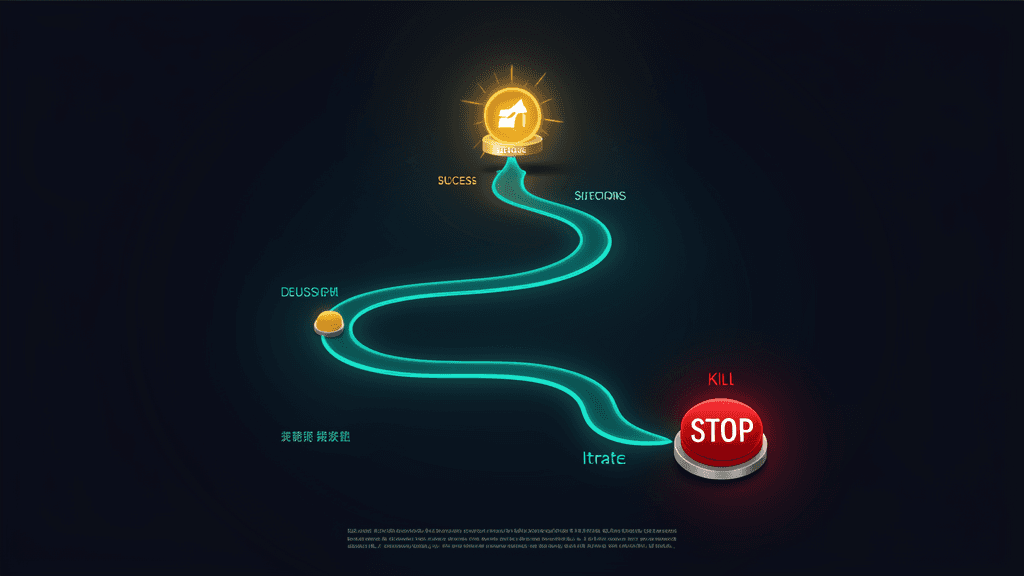
The discipline: write the success criteria down before you write a single line of prototype code. Share them with the team. Get agreement. If the prototype meets the criteria, you proceed. If it does not, you either iterate on the prototype until it does, or you kill the idea. No reinterpretation. No "close enough." The whole point of prototyping is to make a clear decision, and you cannot make a clear decision against a blurry standard.
Getting real user feedback in days, not months
A prototype that never leaves the engineering team is not a prototype. It is an internal experiment. The value of prototyping is not in building something — it is in learning whether the thing you built solves a real problem for real users. And the only way to learn that is to put it in front of them.
The mechanics of getting user feedback on an AI prototype are different from traditional usability testing. In a traditional usability test, you watch a user navigate a prototype and note where they get confused or stuck. In an AI prototype test, you watch a user interact with a system that is producing real outputs — and you watch how they react when those outputs are wrong, incomplete, or unexpected. Those reactions are the most valuable data the prototype will generate.
Recruit users who have the actual problem. The easiest users to recruit are colleagues. They are also the least useful. Colleagues know you. They know the prototype is a test. They are motivated to be polite and to see the potential. They will say "this is cool" even when the output is mediocre because they understand the vision. Real users — people who have the problem you are trying to solve and nothing invested in your success — will tell you the truth implicitly, through what they do rather than what they say. They will ignore the AI's suggestion and do it manually. They will close the prototype and go back to their spreadsheet. They will ask a question the AI cannot answer and then disengage. Those are the signals that matter.
Test with tasks, not tours. Do not walk users through the prototype feature by feature explaining what each part does. Give them a task — "here is a set of support tickets that need categorisation" — and ask them to use the prototype to complete it. Then shut up and watch. What they do, where they hesitate, what they ignore, what they override — those behaviours tell you more than anything they say in a post-test interview.
Run enough sessions to see the pattern. One user's reaction is a story. Three users' reactions, if consistent, is a signal. Five users is usually enough to see whether the pattern holds. If after five sessions all five users abandoned the AI's suggestion at the same step, you know where the problem is. If three users trusted the output and two did not, you need to understand the difference — was it the task, the user's experience level, or the specific output quality?
Measure what users do, not what they say. After the session, users will tell you the prototype was "interesting" or "promising" because they are being polite. What they did during the session — whether they used the AI's output, edited it, ignored it, or abandoned the task — is the real data. Design the test to capture behaviour: acceptance rate, editing rate, abandonment rate, time on task with AI vs without. These behavioural metrics are the closest thing to a reliable signal you will get from a prototype.
When to iterate vs when to kill the idea
Not every prototype that fails to meet its success criteria should be iterated on. Some ideas are fundamentally not ready — the technology is not there yet, the data is not good enough, or the user need is not as strong as you thought. Knowing when to kill an idea is as important as knowing when to push it forward. And it is harder, because killing an idea feels like failure, while pushing it forward feels like perseverance. In AI prototyping, the ideas you kill early save you the most.
Iterate when the gap is addressable. If the prototype fails on a specific, diagnosable dimension — accuracy on a particular category of inputs, latency that is too high for the interaction model, an interface pattern that users find confusing — and you have a clear hypothesis for how to close the gap, iterate. Try a different prompt. Add retrieval. Change the interaction model. Run another round of user tests. The gap is addressable if you can name specifically what would fix it and the fix is within reach.
Kill when the gap is fundamental. If the prototype fails because the underlying model cannot perform the task at any acceptable level of quality — even with prompt engineering, even with fine-tuning, even with retrieval — the gap is fundamental. You are betting on a capability that does not exist yet. That bet is sometimes worth making, but it is a research bet, not a product bet, and it should be funded and managed as research — not disguised as a prototype that is "almost there." Be honest about the distinction. A research project with an uncertain outcome is fine. A product roadmap that depends on research breakthroughs is a plan to miss deadlines.
Kill when the user need is not there. The hardest prototypes to kill are the ones where the AI works technically but users do not want it. The outputs are accurate. The latency is fine. The interface is clean. And yet — users go back to their manual workflow after the test session ends. They say the prototype is great but they would not use it. They cannot articulate why. This is the most common failure mode in AI products, and the most expensive one to ignore. If users do not reach for the tool when you are not watching, the problem is not the tool — it is that the problem you are solving is not urgent enough for them to change their behaviour. No amount of iteration will fix that. Kill the idea and move the team to a problem that users actually feel.
From prototype to production: what survives and what gets rebuilt
A prototype is not a production system. It was not built to be. It has hardcoded prompts where the production system needs a prompt management layer. It has no monitoring, no logging, no alerting. It handles 20 documents, not 20,000. The model is called directly instead of through a gateway that handles rate limiting, fallbacks, and cost tracking. The authentication is minimal or absent. The deployment process is "I run it on my laptop."
The path from prototype to production is not about polishing the prototype until it is production-ready. It is about rebuilding the parts that need production engineering and preserving the parts that the prototype validated. The prompt logic — the specific instructions, examples, and output formatting that made the prototype produce good results — should be preserved and migrated into a proper prompt management system. The knowledge source — the documents, the database schema, the API endpoints — should be connected through a proper retrieval pipeline. Everything else — the infrastructure, the error handling, the monitoring, the deployment — should be built to production standards from scratch.
The most important thing the prototype produced is not code. It is knowledge. The prototype validated that the AI can perform the task at an acceptable level. It identified the edge cases where the model struggles. It revealed which parts of the interaction model users trust and which they override. That knowledge is what you take to production. The code is disposable. Treat it that way. Trying to productionise prototype code is the engineering equivalent of renovating a tent into a house. It is faster and cheaper to build the house from the foundation, using the tent as a reference for what the layout should be.
FAQs: AI Prototyping
How long should an AI prototype take to build?
A single-model prototype — one model, one task, one interface — should take one to three days. If it takes longer, you are probably building more than you need to validate the core hypothesis. A multi-model prototype with retrieval might take a week. An agentic prototype could take two weeks. The litmus test: if the prototype takes longer to build than the time it would take to learn the answer through another method, build the other method instead. The point of a prototype is cheap learning. If it is not cheap, it is not working.
Should we use the same model for the prototype that we plan to use in production?
Use the best model you can access for the prototype, even if it is more expensive than what you would deploy in production. The prototype is answering the question "can this be done at all." If the answer is no with the best available model, you have your answer. If the answer is yes, you can then test whether a cheaper model can achieve the same quality. Starting with a weaker model because "that is what we will use in production" conflates two questions — feasibility and cost-optimisation — and makes both harder to answer.
How do we prototype when we do not have a large dataset yet?
Start with what you have — even if it is 20 documents, 50 support tickets, or a spreadsheet of 100 examples. Run the prototype on those. If the model produces good results on a small, representative sample, you have a signal worth pursuing. The next step is not building a full dataset — it is expanding the sample to cover more edge cases and seeing if the performance holds. If performance degrades as the sample grows, you have learned something important about the model's capability ceiling. That is a prototyping outcome, not a failure.
Who should run the prototyping process?
A small, cross-functional team — at minimum, one engineer who can call the model APIs and one domain expert who can judge whether the outputs are correct. The engineer builds the prototype. The domain expert evaluates the outputs against a clear rubric. The engineer and the domain expert together run the user test sessions. If a product manager or designer is available, they design the test protocol and lead the user sessions. Four people is plenty. More than five is a meeting, not a prototype.
What is the most common mistake teams make with AI prototypes?
Evaluating the prototype on the examples they built it with. The engineer builds the prototype using five examples that worked. They show those five examples to stakeholders. Everyone is impressed. Nobody sees the 15 examples where the model produced mediocre or incorrect outputs, because those were not shown. The prototype goes to production. The errors surface when real users hit them. This pattern is so common it should be treated as a design flaw in the prototyping process, not a mistake by individual engineers. The fix is to set aside a test set — examples the prototype was not built on — before development starts, and to evaluate the prototype on that test set, not on the examples used during development. If the prototype does not perform on the test set, it has not passed.
Conclusion
The most expensive mistake in AI is not building something that does not work. It is building something that works technically but that nobody needed in the way you built it. A prototype — a thin, working system tested with real users against clear success criteria — is the cheapest way to avoid that mistake. It answers the only question that matters before you commit to a production build: should we build this at all?
The AI prototyping spectrum — from Wizard of Oz to agentic — gives you four levels of fidelity to choose from, each answering different questions at different costs. Pick the cheapest level that answers your specific question. Do not build an agentic prototype when a single-model prototype would tell you the same thing faster.
Set your success criteria before you build. Make them specific, measurable, and tied to user outcomes. If the prototype meets them, proceed. If it does not, iterate on a fixable gap — or kill the idea if the gap is fundamental or the user need is not there. The ideas you kill early are the ones that save you the most.
And when you take the prototype to production, preserve the knowledge — the prompts, the data sources, the interaction patterns that worked — and rebuild the infrastructure from scratch. The prototype gave you the answer. The production system is where you build on it.
If you have an AI idea you want to validate before committing to a full build, we can help. We build working AI prototypes in days — connecting a model to your data, testing with real users, and giving you the evidence you need to decide whether to invest. Not a slide deck. Not a demo. A prototype that answers the question.
Prototype your AI idea — we will build a thin, working prototype, test it with real users, and give you the data to make the build-or-kill decision with confidence.