
How to Build a Custom AI Chatbot for Your Business

TL;DR: A custom AI chatbot is not a generic Q&A widget. It is a trained, scoped, monitored AI agent with a defined job and clear boundaries. Building one well means getting the scope right first, then designing the data strategy, the integration layer, and the governance framework — in that order. Most bad chatbots fail because they skipped straight to the UI without thinking through the architecture.
Introduction
There are two kinds of AI chatbots in 2026.
The first kind is a generic prompt box that sits on your website and answers basic questions with whatever the underlying model happens to know. It does not understand your business. It does not know your customers. It is not connected to your systems. It is a demo.
The second kind is purpose-built for your organisation — trained on your product documentation, connected to your CRM, aware of your escalation paths, and designed to handle real customer interactions from first contact to resolution. It does not just answer questions. It does work.
This article is about the second kind. It walks through what it actually takes to build a custom AI chatbot that your business can rely on — the decisions, the process, the pitfalls, and when to bring in outside expertise.
What separates a useful chatbot from a gimmick
Most chatbots fail for predictable reasons. They are not underpowered. They are under-scoped.
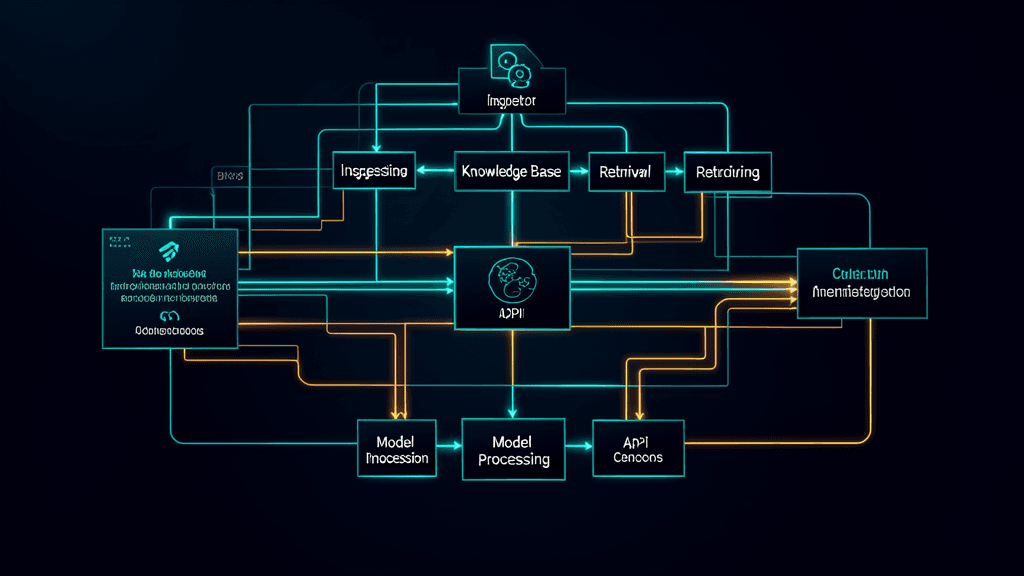
A chatbot that is useful in a real business context has four properties that most off-the-shelf alternatives lack:
It has a defined job. The chatbot knows what it is supposed to handle and what it is not. This means clear boundaries: support questions it can resolve, versus inquiries that should be escalated to a human. Without explicit scoping, the chatbot either over-promises and under-delivers or frustrates customers by bouncing them to a human for everything.
It learns from your actual data. A generic model trained on public internet text does not know your return policy, your product catalogue, your shipping logic, or your service tiers. A custom chatbot ingests this knowledge from your documentation, your knowledge base, your past support tickets, and your internal playbooks. The difference in accuracy is dramatic.
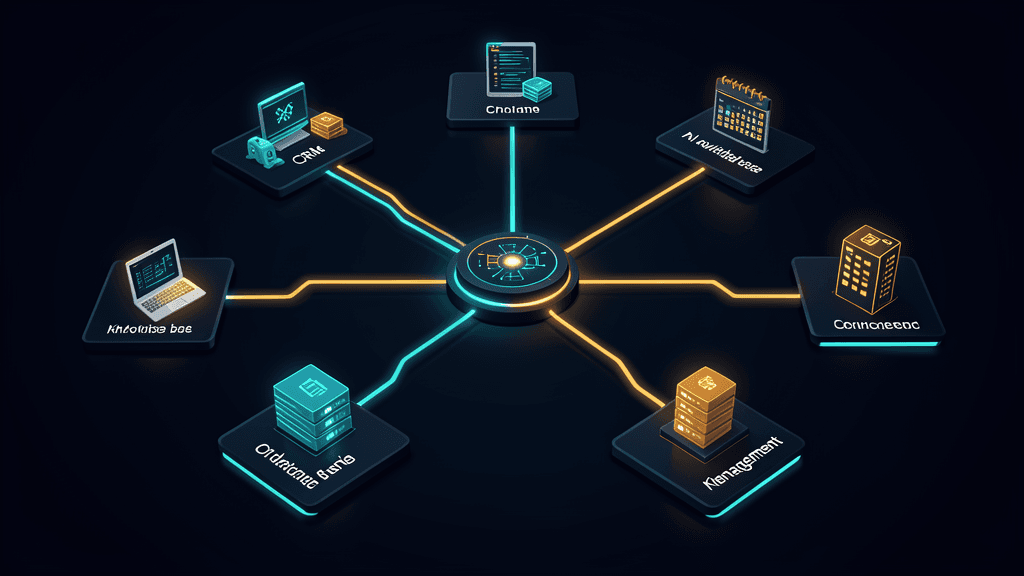
It integrates with your operational systems. A chatbot that can answer a question but cannot check inventory, look up an order, or log a ticket is a dead end. Real chatbots connect to your CRM, your order management system, your calendar, and your internal tools through secure APIs. The integration layer is what turns a conversational interface into a functional tool.
It is monitored and improves over time. Every interaction generates data. A well-built chatbot logs conversations, tracks resolution rates, flags failures for review, and feeds insights back into the training and tuning process. A static chatbot degrades. A monitored chatbot improves.
The key decisions before you start building
Before writing a single line of configuration or standing up any infrastructure, there are five decisions that determine whether the project succeeds or stalls.
1. What exactly is the chatbot's scope? Be ruthlessly specific. Is it handling pre-sales product questions? Post-purchase support? Internal IT helpdesk? Booking and scheduling? The narrower the scope, the more reliable the chatbot. Trying to build a chatbot that does everything usually produces one that does nothing well. Start with one high-value, well-defined use case and expand from there.
2. What data does it need access to? List every data source the chatbot will need: product documentation, knowledge base articles, past support tickets, policy documents, pricing sheets, API documentation. Then assess what is clean, what is scattered across multiple systems, and what does not exist yet. Data readiness is usually the longest pole in the timeline — start here, not with the interface.
3. Which channels will it operate on? A chatbot on your website serves a different audience and different needs than one inside Slack or Microsoft Teams. The channel determines the interaction style, the authentication model, and the integration surface. Choose channels based on where your users already are, not based on what is easiest to build.
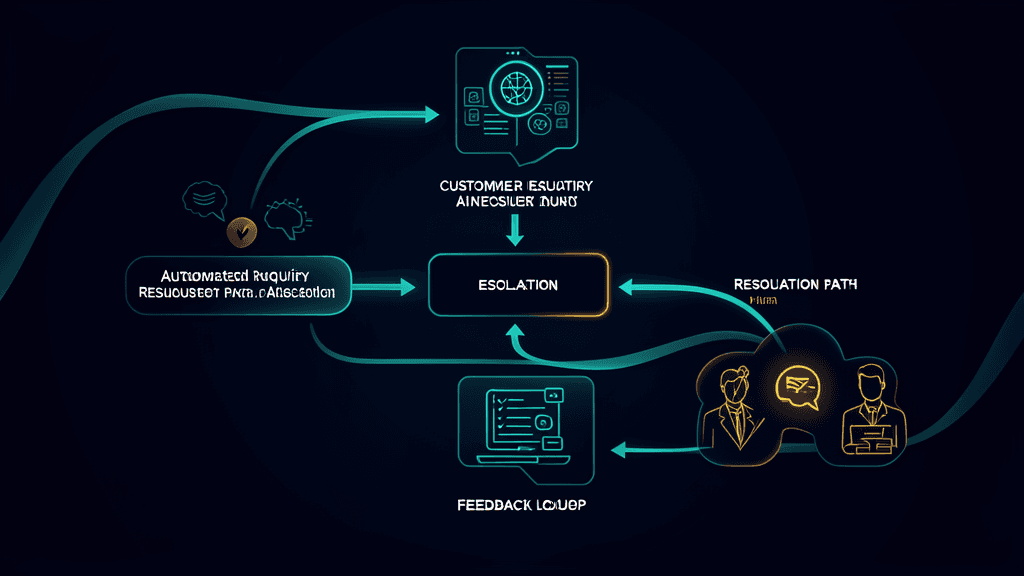
4. What is the escalation path? No chatbot resolves everything. Define upfront: what types of inquiries are automatically escalated to a human, who receives those escalations, how quickly they are expected to respond, and what information the chatbot passes along to make the handoff seamless. A bad escalation path turns the chatbot from a time-saver into a frustration generator.
5. Who owns the chatbot after launch? The chatbot is not a set-and-forget project. It needs someone responsible for reviewing logs, updating training data, adjusting responses, and managing the integration layer as internal systems change. If nobody owns this, the chatbot will drift and degrade within months.
The build process: training, tuning, and testing
Once the scope is clear and the data is identified, the actual build follows a predictable sequence. Most projects move through four phases.
Phase 1: Knowledge ingestion. Your documentation, policies, and historical support data are processed and indexed so the chatbot can retrieve relevant information at query time. This is usually implemented through a retrieval-augmented generation (RAG) pipeline: the chatbot searches your knowledge base for relevant content, then uses that content as context when generating its response. The quality of the retrieval step determines most of the chatbot's accuracy — a sophisticated model with bad retrieval will still give wrong answers.
Phase 2: Behaviour design. This is where you define the chatbot's personality, its response style, its guardrails, and its decision logic. You write system prompts that tell the model what tone to use, what information to protect, and what topics to refuse. You build the routing logic that decides which type of query goes where. You design the fallback behaviour for when the chatbot does not know the answer.
Phase 3: Testing and evaluation. Before the chatbot sees a single real customer, it goes through a structured evaluation process. You feed it a representative set of queries — the ones your team already handles every day — and measure whether the responses are accurate, complete, and appropriate. You test edge cases, adversarial inputs, and multi-turn conversations. You tune prompts, retrieval parameters, and routing logic based on the results. This phase cannot be rushed; every shortcut taken here reappears as a customer complaint after launch.
Phase 4: Controlled rollout. Launch to a small group first — your internal team, a subset of customers, or a single channel. Watch the logs closely. Fix the failure patterns that emerge. Expand gradually. The chatbot that launches to everyone at once is a chatbot that breaks in public.
Integrating with your existing systems
The integration layer is where most chatbot projects either deliver real value or become an expensive conversation interface with no operational impact.
A well-integrated chatbot can:
- Look up customer information in your CRM to personalise responses
- Check order status, inventory levels, or account details through your backend APIs
- Create support tickets, schedule appointments, or trigger internal workflows
- Authenticate users and enforce permission boundaries so different users see different information
- Log every interaction for compliance, quality review, and continuous improvement
The key design principle is that the chatbot should not hold business logic itself. It should call your existing systems through well-defined API interfaces. Your order management system knows whether an order has shipped. Your CRM knows the customer's account tier. The chatbot's job is to surface that information conversationally — not to duplicate or replace the systems of record.
This integration work is typically where businesses bring in technical expertise. Connecting a language model to secure, authenticated backend systems is not trivial, and getting it wrong creates both security and reliability problems.
Monitoring and improving after launch
Launch is not the finish line. It is the beginning of the improvement loop.
A production chatbot needs:
Conversation logging. Every interaction should be logged with the user's query, the chatbot's response, the retrieval sources used, the confidence level, and the outcome. Without this data, you are operating blind.
Accuracy monitoring. Track metrics like resolution rate, escalation rate, user satisfaction signals, and common failure patterns. These numbers tell you whether the chatbot is getting better or worse over time.
Regular data updates. Your product documentation changes. Your policies change. Your knowledge base grows. The chatbot's knowledge source needs to be refreshed on a regular schedule — not as a one-time project but as an ongoing process.
Human review loops. Sample chatbot conversations regularly — especially failures, escalations, and edge cases. Feed the insights back into prompt tuning, retrieval improvements, and scope adjustments.
The organisations that get the most value from their chatbots are not the ones with the most sophisticated initial build. They are the ones that treat the chatbot as a living system and invest in continuous improvement.
When to bring in an expert vs build in-house
Some businesses have the internal capability to build a custom chatbot end to end. Most do not — and that is fine.
You can handle it in-house if: you have a technical team comfortable with API integration, data pipelines, and prompt engineering; your use case is well-defined and not highly sensitive; and you have the bandwidth to own the system after launch.
It is worth bringing in outside expertise if: your use case involves sensitive data that requires careful security architecture; your integration surface is complex and spans multiple legacy systems; you need the chatbot to be production-grade from day one rather than iterating through public failures; or your internal team has the skills but not the time.
The cost of getting the architecture and integration wrong usually exceeds the cost of getting it right the first time. The most expensive chatbot is the one you have to rebuild six months after launch because the first version was not designed for the real operational requirements.
FAQs: Building a Custom AI Chatbot
How long does it take to build a custom AI chatbot?
A focused chatbot with a well-defined scope and clean data can go from scoping to launch in four to eight weeks. More complex deployments — multi-channel, deeply integrated, handling sensitive data — typically run eight to sixteen weeks. The biggest variable is almost always data readiness, not the build itself.
What does it cost?
Cost depends on scope, integration complexity, and ongoing support requirements. A focused single-channel chatbot with moderate integration might run from $15,000 to $40,000 for the initial build. Enterprise-grade deployments with complex integrations, compliance requirements, and multi-channel support scale accordingly. The ongoing costs are primarily model usage, hosting, and maintenance — typically far lower than the equivalent human staffing cost for the same workload.
Can we use our existing documentation, or do we need to create new training material?
Your existing documentation is the starting point. The chatbot ingests product docs, knowledge base articles, support ticket histories, and internal playbooks. What often surfaces during the build is that some documentation is incomplete or out of date — which is valuable in itself. The chatbot project becomes a forcing function for better documentation hygiene.
What happens when the chatbot cannot answer a question?
A well-designed chatbot recognises when it lacks the information or confidence to answer and escalates gracefully. The customer is handed off to a human agent with the full conversation context and a summary of what the chatbot already attempted. The interaction is logged so the knowledge gap can be closed later.
Do we need to train our own language model?
Almost never. Most custom chatbots use existing foundation models and combine them with retrieval-augmented generation (RAG) — the model retrieves relevant information from your knowledge base and uses it to generate accurate, context-aware responses. Fine-tuning a model specifically on your data is an option for specialised use cases but is rarely necessary for a well-scoped business chatbot.
Is our data safe?
Data security depends on the architecture. A properly built custom chatbot can run entirely within your cloud environment, with data isolation, encryption, access controls, and audit logging. This is one of the strongest arguments for custom over off-the-shelf: you control where the data lives and who can access it.
Conclusion
Building a custom AI chatbot is not a technology project. It is an operational design project that happens to use AI.
The businesses that get it right do not start with the model. They start with the job the chatbot needs to do, the data it needs to access, and the systems it needs to connect to. They scope narrowly and expand deliberately. They invest in monitoring and continuous improvement from day one. And they treat the chatbot as a member of the team — with clear responsibilities, clear boundaries, and someone accountable for its performance.
At Akonita, we design and build custom AI chatbots that actually work — grounded in your data, integrated into your systems, and built to improve over time. If you are considering a chatbot for your business, the best first step is a focused scoping session that answers the five key questions in this article before anyone writes a line of code.
Book a chatbot scoping session and we will help you figure out what to build and whether you should build it yourself.